
Dewalt 625 Springs
How to remove the springs of the Dewalt 625 Springs. These instructions are strictly the opinions of the author and should not refer or reflect those of the manufacturer. Always refer to your owners manual for exploded views of your router and if you don't feel comfortable with these directions do not remove your springs.
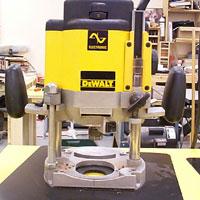
Removing the nut on the Dewalt 625
Step 1: Lay the router on it’s back with the threaded rod face up and lock it into position.
Step 2: Remove the large nut and the knurled slip nut that are at the top of the rod.
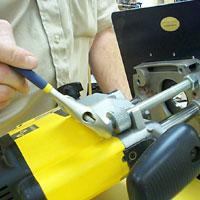
Releasing the Dewalt 625 lock
Step 3: Lay the router on it’s back with the lock mechanism down to the table surface.
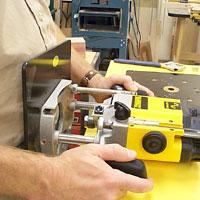
Step 4: With your body against the base plate, and your hands on the router, release the lock mechanism. The base will press against you and will start to slide off.
Removing the Dewalt 625 base
Step 5: When there is no pressure against you, grab the base and pull the base off. The springs will be hanging from the router.
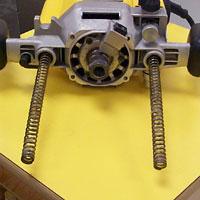
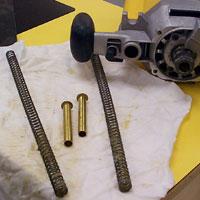
Removing the springs out of the Dewalt 625
Step 6: Begin pulling the springs out of the body and as you pull, bend them down a bit. This will grab the two brass colored tubes inside the springs. They are inside the springs to keep the springs from coiling up on themselves.
Re-assemble the Dewalt 625 router
Step 7: Slide the base back into the router body. Make sure that the threaded rod slides over the horseshoe shaped body housing. With your router on it’s back and the lock down to the table, the two columns should slide easily back into the body.
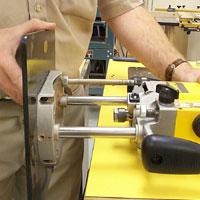
Step 8: Thread the large nut and the knurled slip nut over the threaded rod and turn them until they are about ¾” from the top of the rod. Tighten with an adjustable wrench.